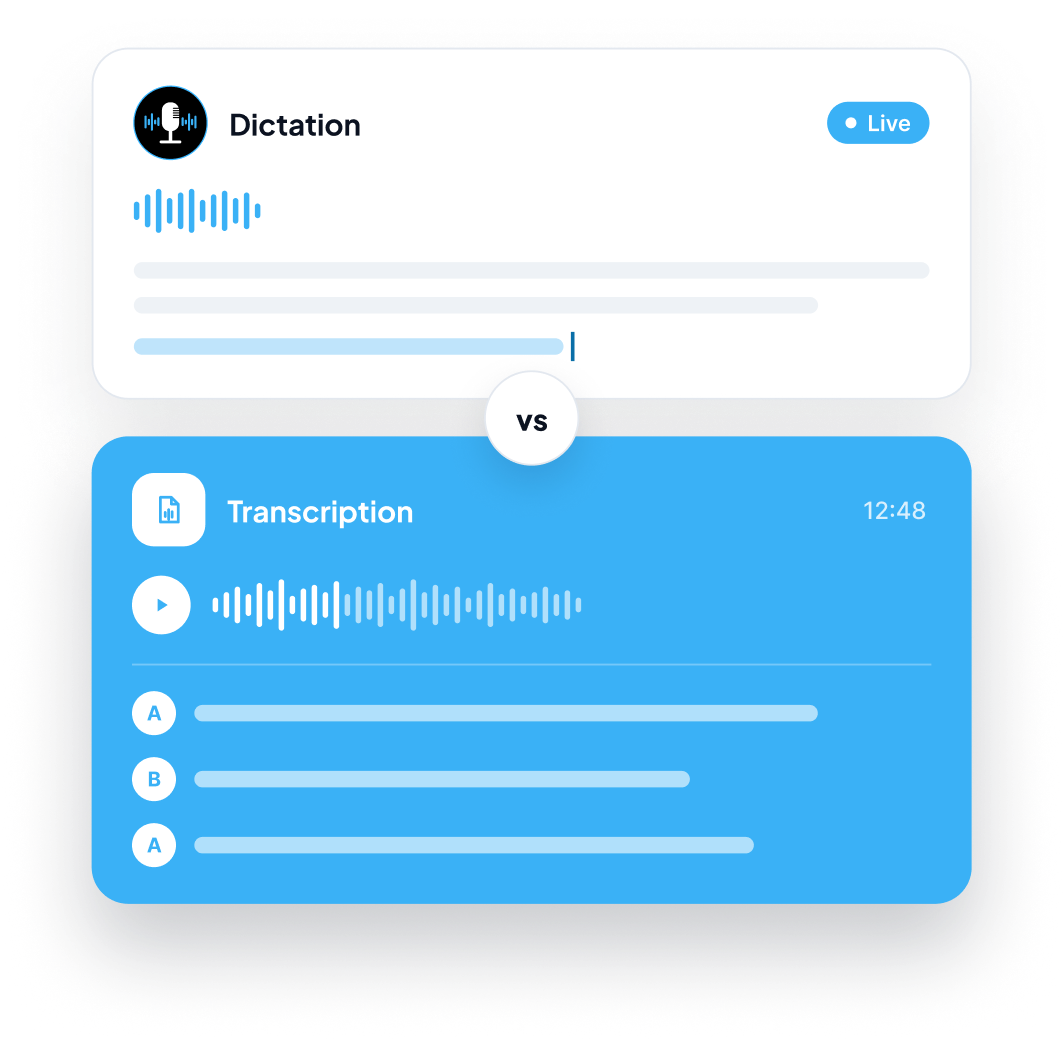
Dictation = you speak now, text appears now. You are the author, and the words land wherever your cursor is.
Dictation vs
Transcription: What Is
the Difference and
Which Do You Need?
The difference between dictation and transcription comes down to timing and source. Dictation turns your live speech into text as you speak, so you are writing in real time. Transcription converts audio that has already been recorded, such as a meeting, interview, lecture, or voicemail, into text after the fact. People use the two words interchangeably, but they solve different problems, and picking the wrong one wastes time.
Quick answer
Transcription = a recording already exists, and you convert it into text afterward. The speakers may be you, one other person, or a whole room.
Rule of thumb: If you are creating something new, you need dictation. If you are capturing something that was already said, you need transcription.
On This Page
The Difference Between Dictation and Transcription
Here is the difference between dictation and transcription side by side:
When it happens
Dictation
Live, while you speak
Transcription
After the audio is recorded
Input
Dictation
Your voice, in the moment
Transcription
An existing recording or file
Who is speaking
Dictation
Usually you, as the writer
Transcription
You, one other person, or many speakers
Goal
Dictation
Create new written content
Transcription
Capture what was already said
Where the text goes
Dictation
Straight into an email, document, message, or note
Transcription
A transcript you review, search, or copy from
Fixing mistakes
Dictation
Immediately, while you are still writing
Transcription
In a review pass after the transcript is produced
How you speak
Dictation
Deliberately, with the reader in mind
Transcription
However the people in the recording naturally spoke
Typical examples
Dictation
Drafting an essay, replying to an email, writing a report
Transcription
Typing up an interview, a lecture, a team call, or a voicemail
The short version: dictation is a writing method. Transcription is a record-keeping method.
What Is Dictation?
Dictation is the act of speaking so your words are captured as text while you talk. You are the author. You decide what to say, how to phrase it, and where the text should go.
Historically, dictation meant speaking to a secretary or a typist. Today it means speaking to your device and watching text appear in the app you are using. Because it happens live, you can pause, rephrase, and correct as you go, which makes it a natural fit for first drafts, replies, notes, and anything you are composing yourself.
Dictation works best when you want to:
- Draft emails, documents, reports, or messages faster than you can type them
- Capture ideas the moment you have them
- Reduce keyboard strain during long writing sessions
- Write in a way that feels more like talking than typing
What Is Transcription?
Transcription is the process of converting recorded audio into written text. The recording comes first, and the text is produced afterward. The audio might be a one-hour interview, a recorded lecture, a customer call, a webinar, a podcast episode, or a voice memo.
Because the speaker is not trying to write at all, transcription has to deal with natural speech as it really sounds: interruptions, overlapping voices, background noise, and people talking at different speeds. The result is usually a full record of what was said, often reviewed and cleaned up before use.
Transcription works best when you want to:
- Turn a meeting, interview, or lecture into searchable text
- Keep a written record of a conversation that already happened
- Pull quotes or key points out of a recording
- Make audio content easier to read, skim, or share
Live Dictation vs Audio Transcription: How They Differ in Practice
The easiest way to separate live dictation vs audio transcription is to ask three questions.
1. Does the audio already exist?
If you are about to speak and want text as a result, that is dictation. If you are holding a file, a recording, or a voice memo, that is transcription.
2. Who is the author?
In dictation, the person speaking is composing their own writing. In transcription, the speakers are just talking, and the transcript is a record of their conversation rather than a piece of writing.
3. What happens to the text afterward?
Dictated text usually goes straight into the place it will be used, such as an email you are about to send. Transcribed text usually becomes a document you read, search, quote from, or archive.
What affects quality in each case?
Dictation:
You control the environment. A clear microphone, a quiet room, and a steady pace all help, and you can correct errors immediately.
Transcription:
The recording sets the limit. Poor audio, accents, crosstalk, and background noise are the biggest challenges, and you cannot ask the speaker to repeat themselves.
Which Do You Need? Match the Task to the Method
Use this as a quick guide.
If you want to...You need...
Write an email, report, or essay by speakingDictation
Brainstorm ideas out loud and keep them as textDictation
Reply to messages without typingDictation
Turn a recorded interview into textTranscription
Get a written record of a meeting or callTranscription
Convert a lecture recording into notesTranscription
Capture a voicemail or voice memo as textTranscription
Talk through a topic first, then use it in your own writingBoth
Who typically needs dictation
Writers, marketers, students, managers, support teams, and anyone who produces a lot of written content and wants to get it down faster. If your goal is to create text, dictation is your tool.
Who typically needs transcription
Journalists, researchers, podcasters, legal and medical staff, educators, and anyone who works with recorded conversations. If your goal is to capture and keep what was said, transcription is your tool.
Many people need both
The two are not rivals. A consultant might transcribe a client call to capture exactly what was agreed, then dictate the follow-up email and the project summary. A student might transcribe a recorded lecture, then dictate a first draft of an essay about it. Using each for what it does best is the efficient approach.
Dictation or Transcription Software: What to Look For
When you compare dictation or transcription software, the right checklist depends on the job.
For dictation software, look for:
Clean output without spoken commands. You should not have to say "comma" or "new paragraph" to get readable text.
Works in the apps you already use. Email, documents, chat, and notes, without copying and pasting between tools.
Custom vocabulary. The ability to teach it names, brand terms, and specialist words so they stay spelled correctly.
Language support. Useful if you write in more than one language.
Speed and reliability. Text should appear while you speak, without long pauses.
For transcription software, look for:
Handling of real recordings. It should cope with natural pace, pauses, and imperfect audio.
Time limits and pricing. Many tools meter by audio minutes, so check how much is included.
Review and editing. You will usually want to scan the transcript and fix names and terms.
Privacy. Recordings can contain sensitive conversations, so check how voice data is handled.
Some tools offer only one of the two. Others, including Zero Typing AI, cover both so you do not need separate subscriptions for writing by voice and for converting recordings.
How Zero Typing AI Handles Both
Zero Typing AI is built around live dictation: you place your cursor in almost any app that accepts text, speak naturally, and the text appears with punctuation and capitalization handled for you. There are no special integrations to set up. If you can type into it, you can speak into it.
It also includes audio transcription across its plans:
ZT Basic (Free)
15 minutes of audio transcription per week, the Personal Dictionary for custom words and spellings, basic prompt selection, and translate and transcribe audio.
ZT Pro
($8/month, 20% off annual billing)
Unlimited words per week, unlimited audio transcription per week, custom prompt creation, and early access to new features.
Other features that help in both cases:
Personal Dictionary so names and specialist terms come out the way you want them.
Automatic language detection for dictating in many languages. Translation currently works into English only.
Transcript Only mode if you want your exact words with no rewriting.
Privacy. Zero Typing AI states that your voice data is encrypted during processing and is never stored, sold, or shared. See the Privacy Policy for details.
MacWindowsAndroidiOSWeb app
Zero Typing AI is available on Mac, Windows, Android, iOS, and as a web app. You can compare plans on the pricing page and start on the free tier to see which workflow suits you.
Curious what happens between your voice and the finished text? Our deep dive on the technology behind Zero Typing AI explains it step by step. If you are wondering how Zero Typing AI stacks up against the dictation tools already on your computer, we cover that comparison separately.
Common Mistakes When Choosing Between Them
Using dictation to capture a recorded meeting. Dictation is designed for the person speaking to the app in real time. For an existing recording, you need audio transcription.
Using transcription to write new content. Recording yourself, waiting for a transcript, and then editing is slower than dictating straight into the document you are writing.
Expecting a transcript to read like finished writing. Natural conversation includes false starts, filler words, and tangents. Plan a quick review pass.
Ignoring audio quality. For transcription especially, a clear recording makes a bigger difference than any setting.
Paying for two tools when one covers both. If you do both regularly, look for one app that supports live dictation and audio transcription.
Frequently Asked Questions About Dictation vs Transcription
Dictation converts your live speech into text as you speak, so you are writing in real time. Transcription converts a recording that already exists into text afterward. Dictation is for creating new content, while transcription is for capturing something that was already said.
No. They both turn spoken words into text, but dictation happens live and is used to write new content, while transcription works on existing audio recordings. The two terms are often mixed up because the output, written text, looks similar.
They save time in different ways. Dictation is faster for writing because text appears while you speak and goes straight into your document or message. Transcription is faster than typing up a recording by hand, especially for long meetings or interviews.
It depends on the audio. Dictation tends to be easier to get right because you control the microphone, the pace, and the environment, and you can fix mistakes immediately. Transcription accuracy depends on recording quality, background noise, accents, and how many people speak at once.
Dictation is meant for live speech from the person writing, so it is not the right tool for an existing recording. For meetings, interviews, and lectures, use audio transcription instead. Many tools, including Zero Typing AI, offer both.
Choose dictation software if you want to write emails, documents, and messages by speaking. Choose transcription software if you need text from meetings, interviews, calls, or lectures. If you do both, pick one tool that supports live dictation and audio transcription.
Both. Zero Typing AI lets you dictate live into almost any app that accepts text, and its plans include audio transcription. The free ZT Basic plan includes 15 minutes of audio transcription per week, and ZT Pro at $8 per month offers unlimited transcription.
Yes. Zero Typing AI supports dictation in many languages with automatic language detection. Translation currently works into English only, which helps if you speak another language but need clean English text.

The Bottom Line
If you are creating text, you need dictation. If you are capturing something already said, you need transcription. If your work involves both, use one tool that covers each so your voice, your recordings, and your writing all end up in the same workflow.
Sign up for our newsletter and join the Zero Typing AI community.

This site is protected by reCAPTCHA and the Google Privacy Policy and Terms of Service apply.