
You think in sentences, not keystrokes. Saying it out loud forces a clear, linear message.
The Fastest Way to
Write Emails Without
Typing
Most of us spend a surprising part of the workday inside an inbox. Replies, follow-ups, intros, status updates: it adds up, and almost all of it is typed one key at a time.
On this page
There is a faster way. If you want to write emails without typing, voice is the answer, because most people speak far faster than they type. Typical typing speed sits around 40 words per minute, while natural speech usually runs closer to 130 to 150. The catch has always been accuracy and cleanup. Older dictation tools mangled names, ignored context, and left you editing more than you saved.
Typing40
Natural speech130–150
Modern voice dictation for email has fixed most of that. This guide walks through exactly how to do it, step by step, so you can clear your inbox by talking.
Quick answer: Install a dictation app that works inside your email client, speak your message in full sentences, let the tool clean up grammar and tone, then review and send. Done well, hands free email writing cuts drafting time dramatically.
Why Typing Emails Is Slower Than It Needs to Be
Typing isn't just slow. It also interrupts your thinking. When you type, you edit as you go: delete a word, rephrase, second-guess the opening line. A two-minute email becomes ten.
Speaking works differently:
Your first draft is already conversational. Emails that sound like you tend to read better and get replies faster.
You stay out of the weeds. There is no hunting for punctuation or fixing typos mid-thought.
If you have ever dictated a voice note and thought "that came out clearer than what I would have typed," you already understand the appeal.
What You Need for Hands Free Email Writing
To write emails without typing reliably, your setup needs three things.
1. A dictation tool that works in any app
Built-in dictation often only works in certain fields or loses context between apps. A dedicated tool such as Zero Typing AI works across the apps you already use, including Gmail, Google Docs, Slack, and AI chat tools, so you are not locked into a single email client.
2. Automatic cleanup, not just transcription
Raw transcription is not enough. Spoken language is full of filler words, false starts, and loose grammar. The best tools clean this up as you speak. Zero Typing AI includes prompt-based rewriting options such as Fix Grammar and Writing Tone, so a rambling spoken thought becomes a polished email without a manual edit pass.
3. Support for your vocabulary
Email is full of names, company terms, and product names that generic dictation gets wrong. A Personal Dictionary lets you add custom words and spellings once, so a client's name or your internal jargon comes out right every time.
How to Write an Email Without Typing: Step by Step
Here is a simple workflow you can start using today.
Step 1:
Open a blank reply or new message
Click into the email body as you normally would. Your cursor should be active in the message field.
Step 2:
Start dictating in full thoughts
Speak the way you would explain it to a colleague standing next to you. Lead with the point, then the detail.
For example:
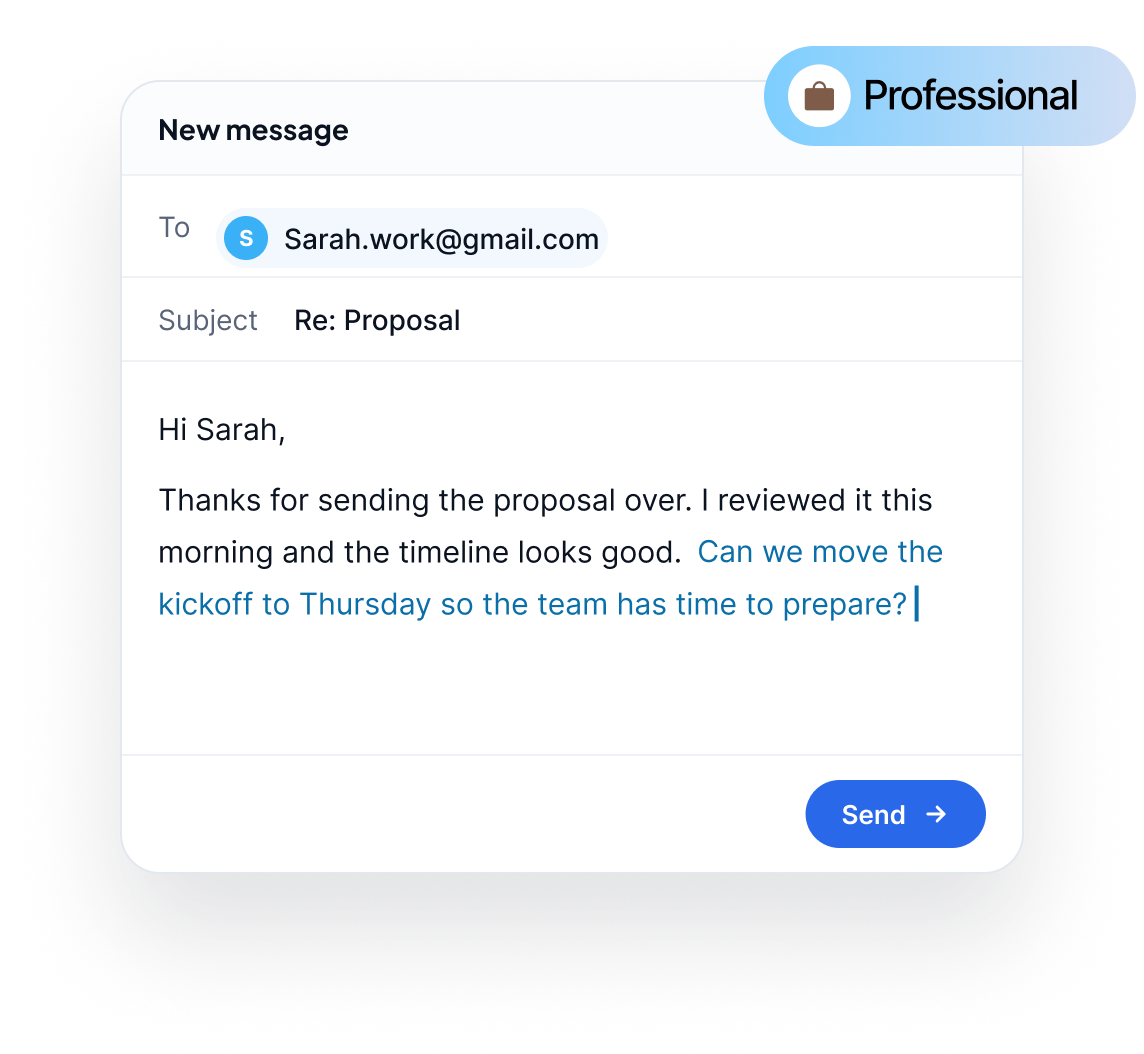
“Hi Sarah, thanks for sending the proposal over. I reviewed it this morning and the timeline looks good. Can we move the kickoff to Thursday so the team has time to prepare?”
You do not need to say "comma" or "period" out loud. A good AI dictation tool handles punctuation for you.
Step 3:
Apply the right tone
Different emails need different voices. A message to your manager is not written like a note to a friend. Use a tone or rewrite option to make a casual spoken draft sound professional, friendly, or concise, without retyping a word.
Step 4:
Fix and polish
If a sentence came out clunky, run a grammar fix instead of editing by hand. Zero Typing AI also offers a Transcript Only mode when you want your words exactly as spoken, and a custom prompt option for repeatable styles you use often.
Step 5:
Review and send
Skim once for names, numbers, and dates. Then send. A quick review is the one step you should never skip, whether you typed or spoke.
Tips to Get Better Results With Voice Dictation for Email
A few small habits make a big difference.
Speak at a natural pace. Do not slow down or over-enunciate. Normal conversational speed works best.
Pause between thoughts. A short beat at the end of a sentence helps the tool place punctuation and paragraphs correctly.
Say the structure you want. Starting with "Hi Marcus" and ending with "Thanks, Priya" gives you a complete email in one pass.
Dictate the whole thing first, then edit. Resist fixing as you go. Get the full message out, then clean it up once.
Add recurring names to your dictionary. Clients, product names, and colleagues are the most common errors, and they are easy to fix permanently.
When Voice Beats Typing (and When It Doesn't)
Voice is not a replacement for every email. Here is an honest breakdown.
Voice shines for:
- Long replies and detailed explanations
- Follow-ups and status updates
- Cold outreach drafts and intros
- Catching up on a backlog of messages
- Writing while walking, commuting, or away from a keyboard
Typing still wins for:
- Very short replies ("Sounds good!")
- Messages with exact figures, links, or code you need to type precisely
- Places where you cannot speak aloud, like an open office or a quiet library
Most people end up using both, switching to voice for anything longer than a couple of sentences.
Which Email Tasks Benefit Most From Dictation?
If you are deciding where to start, these are the highest-return use cases:
Reply-heavy roles.
Support, sales, account management, and recruiting involve constant back-and-forth where speed matters.
Long-form updates.
Weekly reports and project summaries flow naturally when spoken.
Multilingual writing.
Zero Typing AI includes automatic language detection, which helps when you switch between languages across your inbox.
Accessibility needs.
Hands free email writing reduces strain for anyone who finds extended typing uncomfortable.
Curious how the underlying technology turns speech into clean text? Read our breakdown in how AI voice typing works. If you also draft documents by voice, see voice typing for Google Docs.
Getting Started With Zero Typing AI
Zero Typing AI is built around one idea:
Stop Typing. Start Talking.
Platforms: Mac, Windows, Android, and a web app.
ZT Basic (Free)
15 minutes of audio transcription per week, plus a Personal Dictionary and basic prompt selection, so you can test it on real emails at no cost.
ZT Pro
($8/month, 20% off annual billing)
with unlimited words and audio transcription, custom prompt creation, and early access to new features.
Frequently Asked Questions
Yes. With a dictation tool that works inside your email client, you can speak a full message, clean it up with AI, and send it without touching the keyboard except to review.
Modern AI dictation is accurate enough for professional use, especially when you add names and terms to a custom dictionary and do a quick review before sending.
Yes. Zero Typing AI works across apps, including Gmail, so you can dictate directly into the message body.
No. AI dictation adds punctuation automatically, so you can speak naturally.
Yes. The ZT Basic plan is free and includes 15 minutes of audio transcription per week.
Use the Transcript Only option to keep your words exactly as spoken.
Final Thoughts
If your inbox eats hours of your week, the fix is not typing faster. It is typing less. Speak your message, let AI clean it up, review, and send. Start with your longest, most repetitive emails and you will feel the difference in a day.
Ready To Write Emails Without Typing?
Try Zero Typing AI free and draft your next email by voice.
Sign up for our newsletter and join the Zero Typing AI community.

This site is protected by reCAPTCHA and the Google Privacy Policy and Terms of Service apply.